DOWNLOAD tutorial
Here you will find the tutorial to make the download of selected results from the result table obtained after the search.
Result table
The table shows the results of the search performed.
To see all the information of a single result table click on the three dots in the more information column.
A pop-up will appear with all the information including the taxonomies that classify this organism.
By hovering over the taxons in the taxonomies you can see the rank of that taxon.
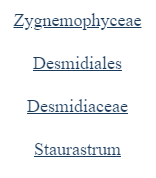
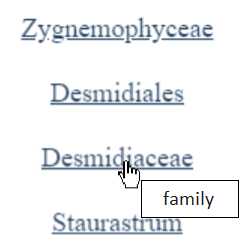
A pop-up will appear with all the information including the taxonomies that classify this organism.
By hovering over the taxons in the taxonomies you can see the rank of that taxon.
Download
To download one or more molecules, select them by clicking on the corresponding checkbox in the first column of the table. You can navigate through pages and select/deselect molecules on different pages; in this case, the current selection will be updated accordingly.
If you click the checkbox at the top of the first column on a page, all visible rows on that page will be selected and added to the current selection. However, it is not possible to automatically select all rows across all pages, as such a large selection would generate an error due to the size of the data being exported.
Once the molecules have been selected, you can download a CSV file containing all relevant information along with a taxonomy of your choice (by default, the CSV will include the ENA taxonomy).
Additional files can also be downloaded for each selected molecule. These files will be provided in a compressed ZIP folder (the CSV file is downloaded separately).
The available formats for additional files are:
- BPSEQ: File names must end with the ".bpseq" suffix (e.g., "mystr.bpseq"). The BPSEQ format is a simple text format where each line represents a base in the molecule. Each line contains the base position (starting from 1), the base name (A, C, G, U, or other alphabetical characters), and the paired base position (or 0 if unpaired).
- CT: The first line specifies the sequence length (L). Each subsequent line, corresponding to a nucleotide, includes its index (i), letter code, 5'-connecting base index (i-1), 3'-connecting base index (i+1), paired base index (or 0 if unpaired), and the index of the base in the original sequence.
- DB (Dot-Bracket Notation): This format represents RNA secondary structures using characters. Round brackets indicate base pairs (e.g., "(.)"), and dots represent unpaired positions (e.g., "."). DB notation provides a textual representation of RNA structures and is widely used in RNA structure prediction and analysis software.
Additionally, other types of brackets, such as square brackets, curly brackets, and angle brackets, can be used to represent pseudoknots. Pseudoknots are base pairs that cross each other in a non-recursive way.
If different brackets are not sufficient to represent all the pseudoknots, capital and lowercase letters can also be used: the capital letter opens the base pair, and the corresponding lowercase letter closes it.
- FASTA: A widely used format for representing nucleotide or protein sequences. Each FASTA entry begins with a header line (starting with ">"), followed by a brief description of the sequence. The sequence itself follows on subsequent lines and can span multiple lines. The format supports ambiguous characters, gaps, and comments, making it useful for storing, retrieving, and comparing sequences in bioinformatics applications.
For each format, you can obtain the file with or without a header containing meta-information, such as the source database, the name of the organism, and other relevant details. The header consists of lines starting with the symbol '#'. This option can be selected using the checkbox labeled "File with header".